The Problem
A rampage in DOTA 2 — killing all five enemy heroes within a short window — is one of the rarest and most satisfying events in the game. The problem is that the in-game history only shows a limited match record, and there's no built-in way to search your past games for specific events. If you got a rampage weeks ago and want to find that match ID to share a replay, you're stuck manually scrolling through match history.
The idea for this tool came from a Reddit post by u/michel1990, and I decided to actually build it.
What It Does
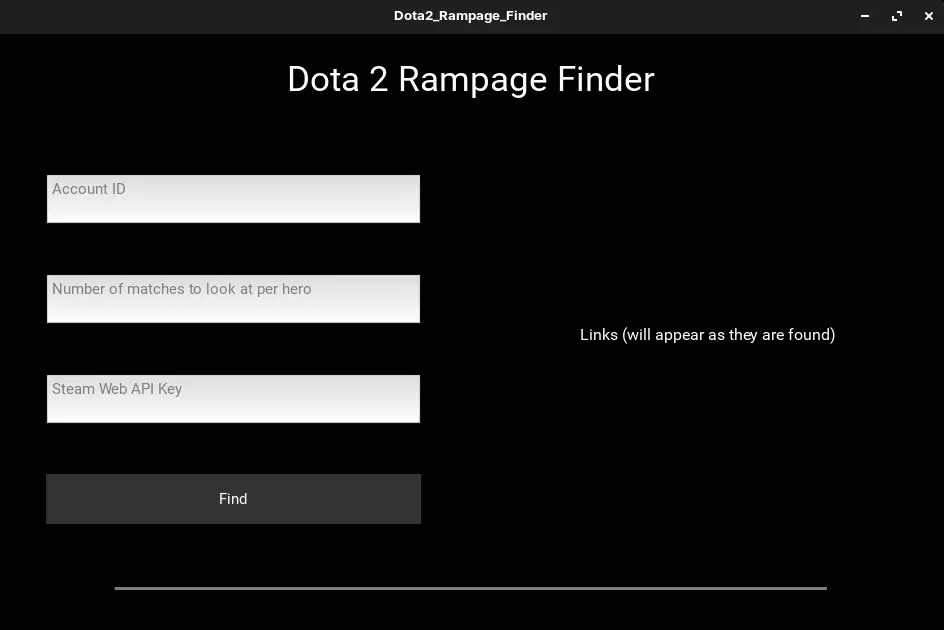
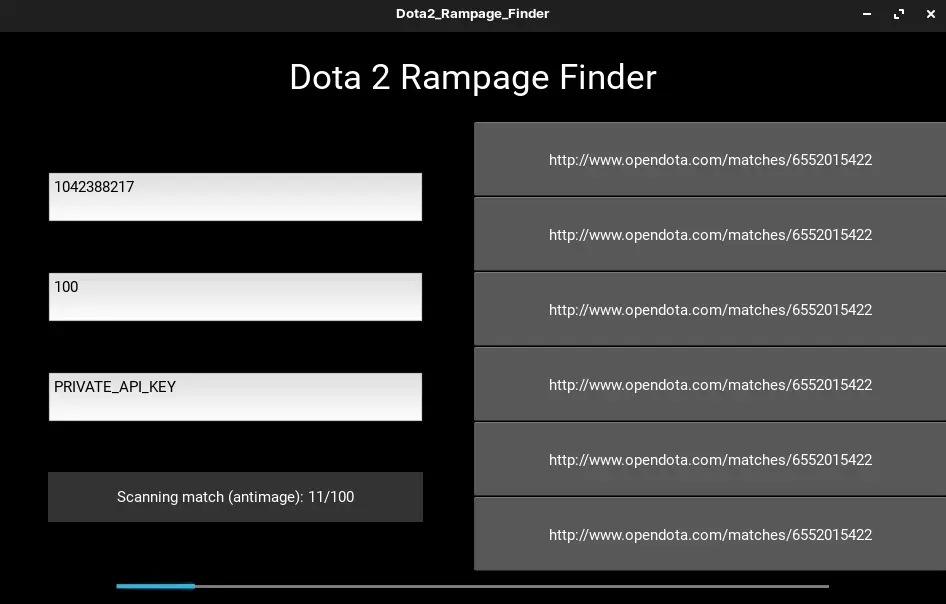
DOTA 2 Rampage Finder is a Python desktop app that queries the Steam Web API to scan your match history and identify any games containing rampages. You provide your Steam Account ID (Friend ID), a Steam Web API key, and how many recent matches to scan — the app does the rest.
To use the tool:
- Enter your Steam Account ID (Friend ID)
- Enter your Steam Web API Key from steamcommunity.com/dev/apikey
- Specify how many matches to search through
The app returns the match IDs of any games containing a rampage, which you can then look up in the DOTA 2 client to watch the replay.
Technical Decisions
The Steam Web API provides match data including kill events and multi-kill streaks, which is exactly what's needed to detect rampages. Rather than building a web app that would require hosting, I went with Kivy to make a simple native desktop GUI — the tool only needs to run locally and the overhead of a web interface wasn't justified.
Known limitations:
- Can only scan up to 100 recent matches (Steam API restriction)
- Very old matches may not be parseable as their replay files are no longer available on Valve's servers
What I Learned
This was an early project that taught me how to work with third-party game APIs and handle their constraints gracefully. The replay availability issue is a good example of a constraint that comes from external systems rather than your own code — something you have to document and communicate rather than fix.
It also sparked my interest in building small, focused tools that solve a specific problem well, rather than trying to be comprehensive.